

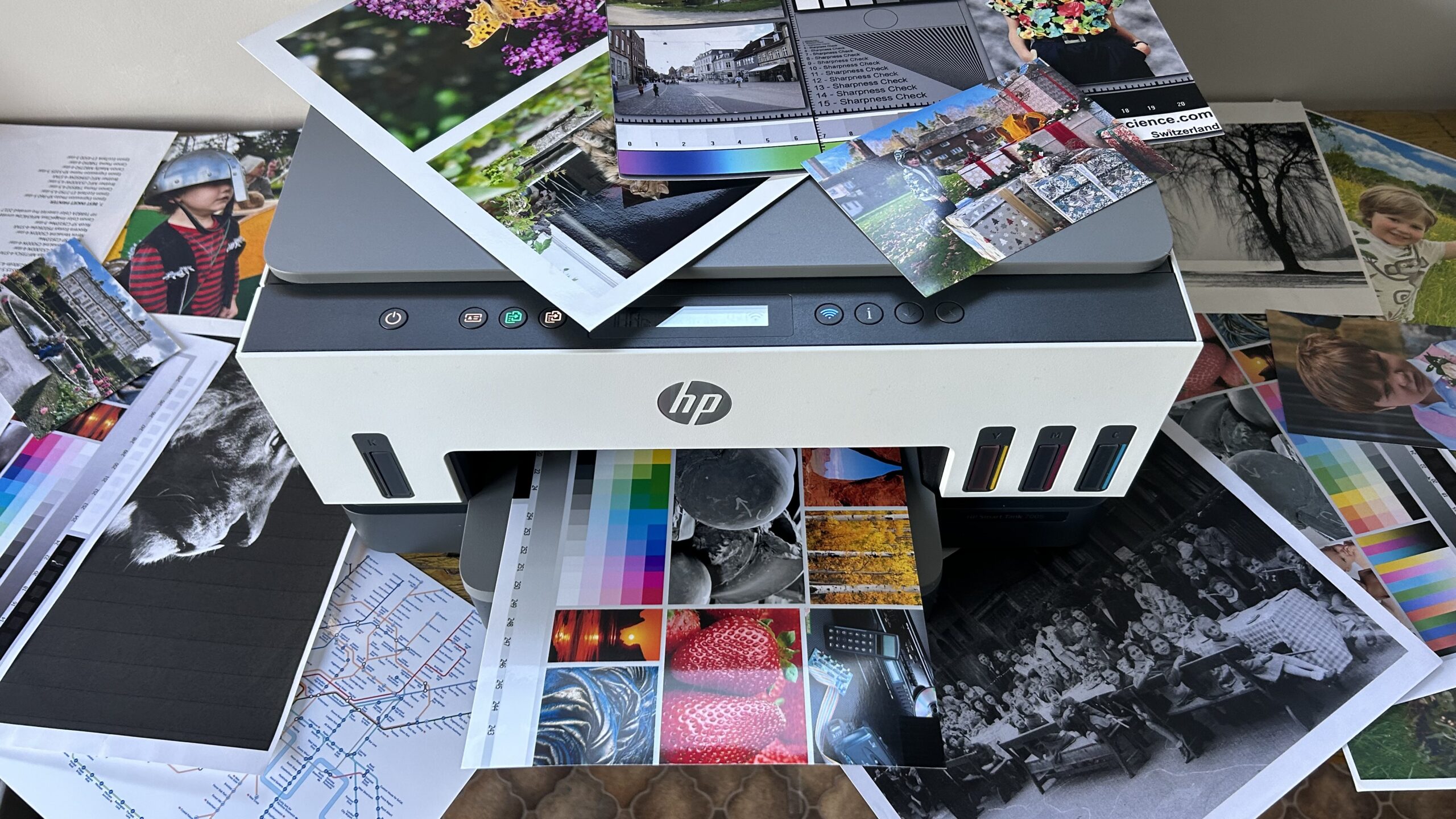
When setting up an efficient home office or equipping a commercial workspace, selecting the right printing technology is essential. For millions of households and business owners across Australia and New Zealand, HP Colour Inkjet Printers remain the premier choice for producing crisp text documents, vibrant promotional materials, and detailed graphics. Whether you require a compact desk unit for family invoices or a multi-function device for high-volume daily print runs, the modern line-up of HP colour inkjet printers offers exceptional versatility, reliability, and print quality across all price segments.
Over the past decade, inkjet engineering has evolved significantly. Modern thermal inkjet systems no longer suffer from the slow print speeds or frequent head clogging of earlier generations. Today, HP colour inkjet printers combine precision micro-nozzles with advanced pigment and dye-based ink formulations. The result is a seamless printing experience that balances energy efficiency, sharp detail, and cost-effective operation.
Why Choose HP Colour Inkjet Printers for Home and Business?
Selecting a printer requires matching your daily workflow with appropriate technology. While laser printers traditionally dominated monochrome office environments, HP colour inkjet printers hold a distinct advantage when versatility, colour accuracy, and initial hardware affordability are priority factors.
- Unmatched Colour Vibrancy and Photo Quality: Inkjet technology excels at blending microscopic droplets of liquid ink, allowing for smooth gradient transitions and vivid colour reproduction for marketing materials and borderless photos.
- Lower Upfront Hardware Investment: For start-ups, remote workers, and suburban households across Sydney, Melbourne, Auckland, and regional hubs, entry-level and mid-tier HP colour inkjet printers provide feature-rich functionality at an accessible price point.
- Compact Footprint and Quiet Operation: HP designs its inkjet lineup with sleek profiles that fit comfortably on standard desks without generating excess noise or heat during processing.
- Exceptional Energy Efficiency: Thermal inkjet printing relies on rapid localized heating, drastically reducing power consumption during printing cycles and eliminating warmup delays.
Overview of the HP Colour Inkjet Line-Up
To cater to diverse user demands, HP categorises its colour inkjet portfolio into distinct series:
- HP DeskJet Series (Everyday Household Printing): The HP DeskJet family is tailored primarily for casual home users, students, and light domestic tasks. Designed for low-to-moderate print volumes, DeskJet models offer essential printing, scanning, and copying capabilities in an ultra-compact body ideal for school assignments and recipes.
- HP ENVY and ENVY Inspire Series (Creative Home & Remote Work): Stepping up from basic household printing, the HP ENVY and ENVY Inspire series focus on media versatility, high-quality photo rendering, and seamless family connectivity. Featuring automatic two-sided (duplex) printing, dedicated photo paper trays, and borderless printing, these devices are perfect for creative hybrid workers.
- HP OfficeJet and OfficeJet Pro Series (Small Business Workhorses): Engineered for demanding workgroups and small businesses, the HP OfficeJet Pro range brings commercial-grade performance to desktop inkjet printing. Equipped with fast automatic document feeders (ADF), high-capacity paper trays, and pigment-based inks for smudge-resistant output, OfficeJet Pro printers handle heavy daily workloads effortlessly.
- HP Smart Tank Series (Ultra-Low Cost High-Volume Printing): For users printing hundreds of pages monthly, the HP Smart Tank series replaces traditional cartridges with high-capacity refilling tank systems, virtually eliminating recurring cartridge costs for micro-businesses and educational hubs.
Comparative Overview of HP Colour Inkjet Printer Ranges
| Printer Series | Primary Target Market | Print Speed (ISO PPM) | Key Features | Best Suited For |
| HP DeskJet | Students & Casual Home Users | 7 – 10 PPM Black / 5 – 7 PPM Colour | Compact frame, basic Wi-Fi, easy setup | Light daily documents, casual homework |
| HP ENVY / Inspire | Families & Creative Hybrid Workers | 10 – 15 PPM Black / 7 – 10 PPM Colour | Auto duplex, borderless photos, dual trays | Family photos, creative projects, hybrid work |
| HP OfficeJet Pro | Small Businesses & Home Offices | 18 – 24 PPM Black / 14 – 20 PPM Colour | Fast ADF, pigment inks, touchscreen, security | Business reports, invoices, high-volume docs |
| HP Smart Tank | High-Volume Home & Commercial | 12 – 15 PPM Black / 5 – 9 PPM Colour | Refillable ink bottles, low cost per page | Heavy daily print runs, educational material |
Managing Running Costs: Cartridges, High-Yield Ink, and Subscriptions
A crucial aspect of selecting HP colour inkjet printers involves evaluating ongoing consumable expenses. Printing cost efficiency depends heavily on ink selection, yield ratings, and regional supply options.
Pro Tip for Managing Ink Expenses: Subscribing to automated ink delivery services or opting for high-yield XL ink cartridges can lower cost-per-page expenses by up to 50% compared to standard cartridges.
HP offers standard and high-yield (XL) cartridge variants across most DeskJet, ENVY, and OfficeJet lineups. XL cartridges contain significantly higher ink volumes, allowing users to output up to two to three times as many pages compared to standard cartridges. While the upfront purchase price of XL cartridges is higher, the cost per page drops significantly, making them a far more economical choice for regular printing tasks across Australian and New Zealand offices.
Furthermore, services like HP Instant Ink provide a flexible subscription-based model. Instead of paying per cartridge, users pay a flat monthly fee based on the number of pages printed rather than ink volume consumed. The printer automatically detects low ink levels and triggers replacement orders sent directly to your door.
Essential Features to Consider Before Purchasing
Before finalising your purchase from local technology retailers across Australia or New Zealand, evaluate these essential technical features against your daily operational workflow:
- Print Speed and First-Page-Out Time: Measured in Pages Per Minute (PPM), print speed determines how rapidly your machine completes jobs. Target OfficeJet Pro models offering 20+ PPM in black and 15+ PPM in colour for busy team environments.
- Connectivity and Mobile Printing: Ensure the printer supports dual-band Wi-Fi, Wi-Fi Direct, Apple AirPrint, and Mopria. The intuitive HP Smart App allows users to scan directly to cloud storage platforms and manage ink levels remotely.
- Paper Handling Capabilities: Consider tray capacity and media compatibility. Automatic Document Feeders (ADF) streamline multi-page scanning, while automatic double-sided printing saves paper and reduces file thickness.
- Ink Formulation Type: Dye-based inks offer brilliant colour reproduction for photos, whereas pigment-based inks provide water-resistant and highlighter-safe text suitable for official contracts.
Final Verdict and Recommendation
HP colour inkjet printers continue to represent an outstanding balance of print quality, functional diversity, and technological convenience. By selecting a model tailored specifically to your volume needs—whether an affordable DeskJet for light household tasks, an ENVY Inspire for creative projects, an OfficeJet Pro for active office workflows, or a Smart Tank for low-cost high-volume printing—you can ensure years of reliable performance and crisp visual results.
